


こんな方に読んでほしい
[記事の内容]

記事の公開日を表示するの際にはthe_time('Y/m/d')を指定します。
今回の最終更新日を表示するの際にはthe_modified_date('Y/m/d')を指定します。

基本的にはループで記事を表示させ、その中に「公開日、最終更新日、タイトル、サムネイル」などを表示させます。
以下のようになります。
<ul>
	<?php
		$args = array(
		'post_type' => 'post',
		'posts_per_page' => 9,
	); ?>
	<?php $wp_query = new WP_Query( $args ); ?>
	<?php while ( $wp_query->have_posts() ) : $wp_query->the_post(); ?>
	<li>
		<time>
		公開日:<?php the_time('Y/m/d');?><br>
		最終更新日:<?php the_modified_date('Y/m/d') ?>
		</time>
		<!--以下省略-->
	</li>
	<?php endwhile; ?>
	<?php wp_reset_postdata(); ?>
</ul>
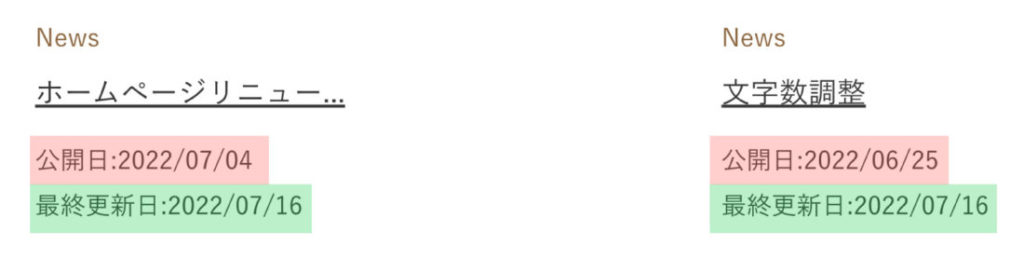
上記のループでは、投稿タイプの記事を9件表示させ、その記事の公開日、最終更新日を表示させる指示をしています。
下記のようになれば完了になります。
今回はこれで以上です。
the_time('Y/m/d')を指定します。the_modified_date('Y/m/d')を指定します。



2026.03.29

2026.03.14

2026.03.08

2026.03.01

2026.02.26

2025.10.17

2023.06.15

2022.06.30

2020.03.22

2020.03.06

© 2025 shu-naka-blog